1
Connect your tools
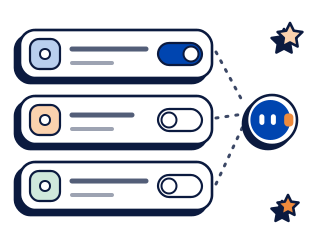
Pick a tool from the connection list in your dashboard, or bring one that has an MCP server. You approve each connection by name.
Toby lives in Slack and Microsoft Teams and does its work in the tools your team already pays for. Ask in a channel. The finished job comes back in the thread. Toby asks before anything goes out under your name.
3,000+ tools over MCP2,000 free credits, no card. $25 a month after that.
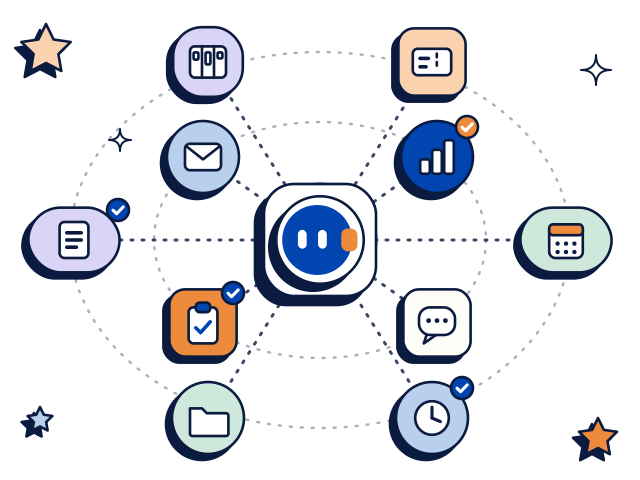
The tools teams connect first. Each one has its own page.
Toby works the same way in Slack and in Microsoft Teams.
Pick a tool from the connection list in your dashboard, or bring one that has an MCP server. You approve each connection by name.
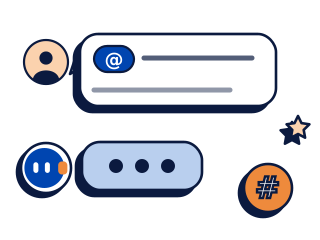
Message Toby in a channel it is in, the way you would message a colleague. It works out the steps.

The finished work lands in the thread. Before Toby sends or writes anything, it shows Approve or Reject.
@Toby show me the invoices for Harbour Street Cafe.
Two invoices in Xero. INV-0412 is awaiting payment and INV-0398 is paid.
@Toby add a note to Harbour Street Cafe in HubSpot: payment promised for Friday.
Here is the note for Harbour Street Cafe: “Payment promised for Friday.” Add it in HubSpot?
Note added to Harbour Street Cafe.
@Toby which timesheets are still waiting for approval in Deputy?
Two timesheets are waiting for approval: Ava Lim and Jordan Pike.
@Toby who is rostered on Saturday?
Saturday at Northwind Cafe: Mei Tan, 7am to 3pm, and Leo Park, 11am to 7pm.
Example thread. Names and figures are made up.
Anything exposed over MCP is fair game, which is more than 3,000 tools today. You approve each connection by name.
The tools people ask for most are built in and sit in the connection list in your dashboard, including Xero, HubSpot, Notion, Jira, GitHub, Outlook, Google Drive and Deputy. Pick one, sign in on the tool's own screen, and it is connected.
MCP is a standard way for AI software to talk to other tools, and more than 3,000 tools have it today. If your tool has an MCP server, Toby can connect to it.
Don't see the tool you need? Talk to us about adding it. Every plan comes with dedicated onboarding and support, so we help you connect your tools and set up your first jobs.
Give Toby the job and the tools it needs. It breaks the work into steps, does them in the tools you connected, and posts the result in the thread.
Questions about money get answered in the channel, and the routine chasing gets done.
The CRM stays current without anyone playing secretary.
Managers ask in the team channel instead of opening the rostering tool.
 Greenhouse
The reporting and the checklists get done before the Monday meeting.
Status questions stop interrupting the people doing the work.
The queue is sorted before anyone opens it.
Each integration page lists what Toby does in that tool. Toby shows Approve or Reject before it sends or writes.
Toby supports connecting more than one account of the same tool where the tool allows it. Run two companies? Connect each company's Xero and approve each connection by name.
Search the tools we have named so far, or filter by category.
21 tools named so far
 AirtableAnalytics and Data
 AsanaDocs and Productivity
 CalendlyDocs and Productivity
 GitHubProduct and Engineering
 Google AnalyticsAnalytics and Data
 Google CalendarDocs and Productivity
 Google DriveDocs and ProductivityGreenhousePeople and Rosters
 LinkedInAds and Marketing
 Microsoft OutlookSupport and Communication
 Microsoft TeamsSupport and Communication
 SlackSupport and Communication
 SnowflakeAnalytics and Data
 ZendeskSupport and Communication
 ZoomSupport and Communication
No tool matches. Anything reachable over MCP can be connected too, so talk to us.
This list shows tools we have named so far. Anything reachable over MCP can be connected too. Not listed? Talk to us.
There is no add-on fee for any tool, and the free plan has the same connections as the paid ones. You start with 2,000 free credits and no card. Starter is $25 a month for 20,000 credits.
The whole workspace shares one credit pool, so nobody pays per seat.
Over 3,000, because anything with an MCP server is reachable. The ones people ask for most are built in, including Xero, HubSpot, Notion, Jira, GitHub, Outlook, Google Drive and Deputy. You approve each connection by name before Toby can touch it.
MCP is short for Model Context Protocol, a standard way for AI software to talk to other tools. If a tool has an MCP server, Toby can connect to it.
Open the Toby dashboard, pick the tool from the list and sign in on the tool's own screen. You name and approve every tool connection yourself before Toby can use it. Every plan comes with dedicated onboarding and support if you want help.
Anything reachable over MCP can be connected too, so it may already work. Don't see the tool you need? Talk to us about adding it.
Yes, where the tool allows it. Connect each account and approve each connection by name.
It depends on the tool. Each integration page says what Toby does there. Toby asks before anything goes out under your name, and it shows Approve or Reject before it sends or writes.
No. Every plan includes every connection, the free one too. You start with 2,000 free credits and no card, and plans begin at $25 a month. The whole workspace shares one credit pool, so nobody pays per seat.
Yes. Toby works the same way in Slack and in Microsoft Teams. You mention it in a channel, it does the job in the thread, and one credit pool and one set of connected tools cover both.
Give Toby the tools your team already pays for and a job you have been putting off.